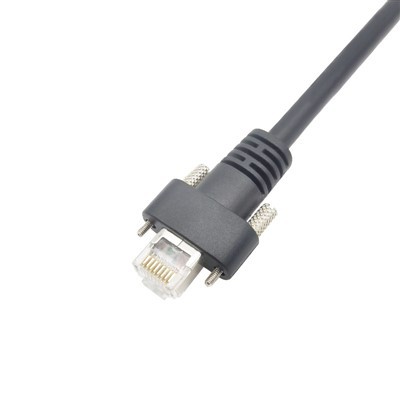
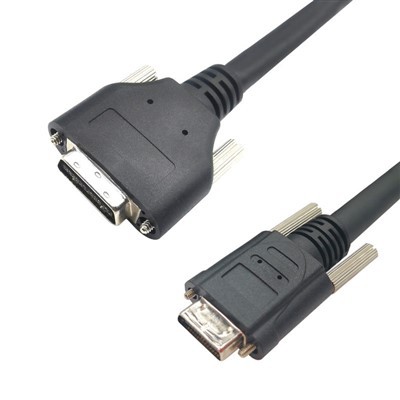
High-frequency Visual Line Hey folks, let’s cut to the chase—if you’re working with machine vision, industrial imaging, or any system that runs CoaXPress (CXP) cables, you know those little connectors are make-or-break. Messy pins, grime buildup, or even a tiny smudge of dust can kill signal quality, drop frame rates, or turn a perfect inspection into a glitchy nightmare. As a CoaXPress cable supplier, I’ve seen way too many customers write off a $500 camera or a whole system downtime because they skipped simple connector cleaning. Today, I’m breaking down exactly how to do it right—no fancy tools, no guesswork, just stuff you probably already have laying around (plus a few pro tips I’ve picked up after years of selling CXP cables). First, let’s get why this matters. CXP is all about high-speed data transfer—like 12.5 Gbps per lane, right? That means even the tiniest dirt particle on the center pin or the inner sleeve of the connector can mess with impedance. Impedance mismatch equals signal loss, which is how you get pixel errors, dropped frames, or full-on connection drops. I’ve had a customer call me at 2 a.m. panicking because their production line was down—turns out, a finger smudge on the connector on their frame grabber was the culprit. We hopped on a quick call, walked them through cleaning it, and they were back up in 10 minutes. That’s the kind of stuff I live for—solving simple, preventable problems. Now, let’s talk what NOT to do first. I see so many people grab a paper towel and a bottle of Windex, scrub that connector like it’s a coffee stain on a shirt, and wonder why their CXP cable is dead a week later. Paper towels have tiny wood fibers that can get stuck in the pins, and Windex has alcohol that can corrode the gold plating on CXP connectors (yes, those pins are gold-plated to reduce signal loss). Even canned air? I’ve seen people hold it too close and blow the pins out of alignment. Or worse, use compressed air that has moisture in it from the can—those water droplets will leave mineral deposits that are way harder to get rid of later. Save the Windex for your desk, not your CXP connectors. So what DO you need? Let’s keep this simple, no specialty gear required: First, a clean, lint-free cloth—microfiber works perfect, the kind you use for glasses or phone screens. Avoid anything with loose threads, like regular cloth napkins. Second, isopropyl alcohol—90% or higher, not the rubbing alcohol from the drugstore that’s 70% (that has too much water). The higher percentage evaporates faster, leaves no residue. Third, a cotton swab (Q-tip) that’s the right size—small, tight-headed ones, not the big, fluffy kind. Fourth, maybe a can of compressed air that’s rated for electronics (not the kind you use for dusting your keyboard, which can have moisture). Wait, and a pair of nitrile gloves. Yeah, wear those. Your fingers have oils and salt that can get on the connectors, and once you touch a clean connector, you’re putting gunk back on it. No good. Alright, step-by-step. Let’s start with pre-cleaning prep. First, unplug the cable. Don’t yank it by the cord—grab the connector itself and pull straight out. If you force it at an angle, you’ll bend the pins, which is a whole other headache (and another thing I sell replacement CXP cables for, all the time). Lay everything on a clean, flat surface—maybe a piece of that same microfiber cloth so no dust gets on it while you work. Put on those nitrile gloves, right now. Now, if there’s obvious big gunk—like a dust bunny or a piece of lint—blow it off first with that electronics-grade compressed air. Hold the can upright, about 6 inches away, and give a short, quick burst. Don’t spray it on its side or upside down—you’ll get liquid propellant on the connector, which is bad. That step’s just to get the big stuff out so you’re not scrubbing it into the pins later. Next, the actual cleaning. Dip the tip of the small cotton swab into the isopropyl alcohol—just a tiny bit, not dripping. You don’t want excess alcohol, because that can seep into the connector’s housing and damage the internal parts. Squeeze the swab against the side of the alcohol bottle or a clean cloth to get rid of any excess—if it’s dripping, you used too much. Now, gently twist the swab around the center pin of the connector. Be super careful here—those pins are tiny, fragile, and easy to bend. Don’t press too hard, just let the swab glide over it. Then, move to the inner sleeve of the connector (the metal part around the center pin). Twist the swab along that too, getting in the gaps. If you have a really stubborn smudge, you can use a fresh swab tip—don’t reuse the same one, that’s just moving gunk from one side to another. Once you’ve cleaned the center pin and the inner sleeve, let it air dry for 30 seconds. Don’t blow on it—your breath has moisture. Just leave it alone for a minute. After it’s dry, give it another quick blast with the compressed air (upright, 6 inches away) to make sure any tiny leftover swab bits or alcohol residue are gone. Now, what about the other end of the cable? The connector on the camera side, or the frame grabber side? Same exact process—don’t skip that. Both ends get dirty, and a dirty connector on one end is just as bad as the other. Wait, let’s talk about when you need to replace a connector instead of cleaning it. If you bend a pin—you’ll see it’s not straight anymore, looks like a tiny bend or a crimp—cleaning won’t fix that. Or if the gold plating is worn down, or there’s a crack in the connector housing. I see people try to bend pins back with a paper clip all the time, and that’s how you break the connector entirely. If something’s damaged, just swap the connector—either on-site if you’re comfortable with crimping, or grab a whole new CXP cable if not. A quick note on different CXP versions—CXP 1, CXP 2, up to CXP 12—does the cleaning change? Nope, same process. All CXP connectors use the same basic coaxial design, so the pin size and the cleaning steps are identical. I’ve seen folks panic because they have a high-speed CXP 12 cable and think they need special tools, but nah—this works for all of ’em. Now, pro tips I’ve picked up from years of dealing with CXP cables for sale: First, clean your connectors every 3 months if your system is in a dusty environment—like a factory floor, a warehouse, or an outdoor installation. If it’s a clean lab or office, every 6 months is fine. Set a calendar reminder, it’s way easier than dealing with downtime later. Second, when you unplug the cable, don’t let the connectors touch dirty surfaces. I’ve had a customer leave a cable lying on a production floor overnight, and the next day the connector was caked in industrial grime. Keep the connectors capped when they’re not in use—most CXP cables come with plastic caps, use ’em. Third, don’t use tap water to clean connectors. Tap water has minerals, chlorine, and other junk that will leave deposits on the pins, which will mess with signal over time. Stick to that 90% isopropyl alcohol, no exceptions. Fourth, if you’re cleaning a connector that’s on a cable that’s already installed (like you can’t unplug it easily), you can still do it—just hold the compressed air at an angle away from the connector to avoid blowing dust further into the system, and use a cotton swab on the exposed end. Just be extra gentle so you don’t pull the connector out of the camera. Wait, let’s address a common question: can you use contact cleaner spray? I get asked this all the time. Some contact cleaners are okay, but make sure it’s a “no-residue” electronics contact cleaner, not the heavy-duty stuff for car parts. But honestly, I’d rather you just use the isopropyl alcohol and cotton swab—way less chance of messing up. The aerosol cleaner can get too much into the connector, and if it’s not rated for high-frequency signals, it can change the impedance. Stick to the simple method, it’s foolproof. Now, let’s talk about when I see this go wrong, because it’s almost always preventable. Last year, a company that uses CXP cables for automated food inspection had a line go down for 4 hours. They pulled every connector, scrubbed them with a paper towel and rubbing alcohol from the dollar store. The paper towel left fibers in the pins, the 70% alcohol had so much water that when it dried, it left mineral deposits. They ended up having to replace 3 CXP cables and a camera connector, which cost them way more than if they’d just done the right cleaning the first time. That’s the kind of headache I want you to avoid. Let’s also bust a myth: you don’t need to do deep cleaning every time. A quick once-over every few months is enough. No need to disassemble the connector housing (you can’t, anyway, without breaking it) or use any harsh solvents. Keep it simple. Now, if you’re dealing with a persistent issue—like you cleaned the connectors, but the signal still drops—what to check next? First, make sure the cable isn’t damaged. If you see a fray in the outer jacket, or the inner conductor is exposed, that’s a problem. Or check if the connectors are seated all the way—sometimes they feel like they’re clicked in, but they’re not fully engaged, which is a common mistake. But 9 times out of 10, a signal drop is just a dirty connector. Alright, wrapping this up. If you’re in the market for replacement CXP cables (hey, we’ve got ’em, all tested for signal integrity and built with durable connectors that hold up to cleaning), or if you have questions about maintaining your setup, don’t hesitate to reach out. We know CXP systems inside and out, and we’re here to help you avoid downtime, save money on replacements, and keep your imaging running smooth. Now, cleaning your connectors is a small job, but it’s one of the most important things you can do to keep your CoaXPress setup working like it should. Skip the bad habits, use the right tools, and you’ll extend the life of your cables, reduce errors, and keep your production or inspection lines moving. If you’ve got a trick for cleaning CXP connectors that works for you, drop it in the comments below—we’re always picking up new tips from customers. Before you go, remember: when it comes to CXP cable connectors, a little regular care goes a long way. And if you need high-quality CXP cables, whether for new installations or replacements, get in touch with us to discuss your needs. We’re here to make sure you’ve got the gear and knowledge to keep your systems running without a hitch. References: 1. Machine Vision Industry Association. "Best Practices for CoaXPress Cable and Connector Maintenance." Machine Vision Tech Notes, 2022. 2. CoaXPress Standard Working Group. "CXP Connector Signal Integrity Guidelines for Industrial Applications." CXP White Paper Series, 2021. 3. Industrial Electronics Maintenance Handbook. "Preventive Care for High-Speed Data Cables." Global Industrial Press, 2023. CoaXPress Cable
Karobert Technology LLC Karobert Trading PTE. LTD.
We’re known as one of the most professional coaxpress cable manufacturers and suppliers in China, also support customized service. Please feel free to buy high quality coaxpress cable made in China here from our factory. For price consultation, contact us.
Address: 6250 S 196th St, Kent, WA, 98055, USA.
E-mail: karl@karobert-us.com
WebSite: https://www.karobert-us.com/
